Ascending: Peaks Beyond
Checkpoints and HUD System Integration
Author: Kye Langer-Freeman
Posted on: December 18, 2025
Part 1: The Problem
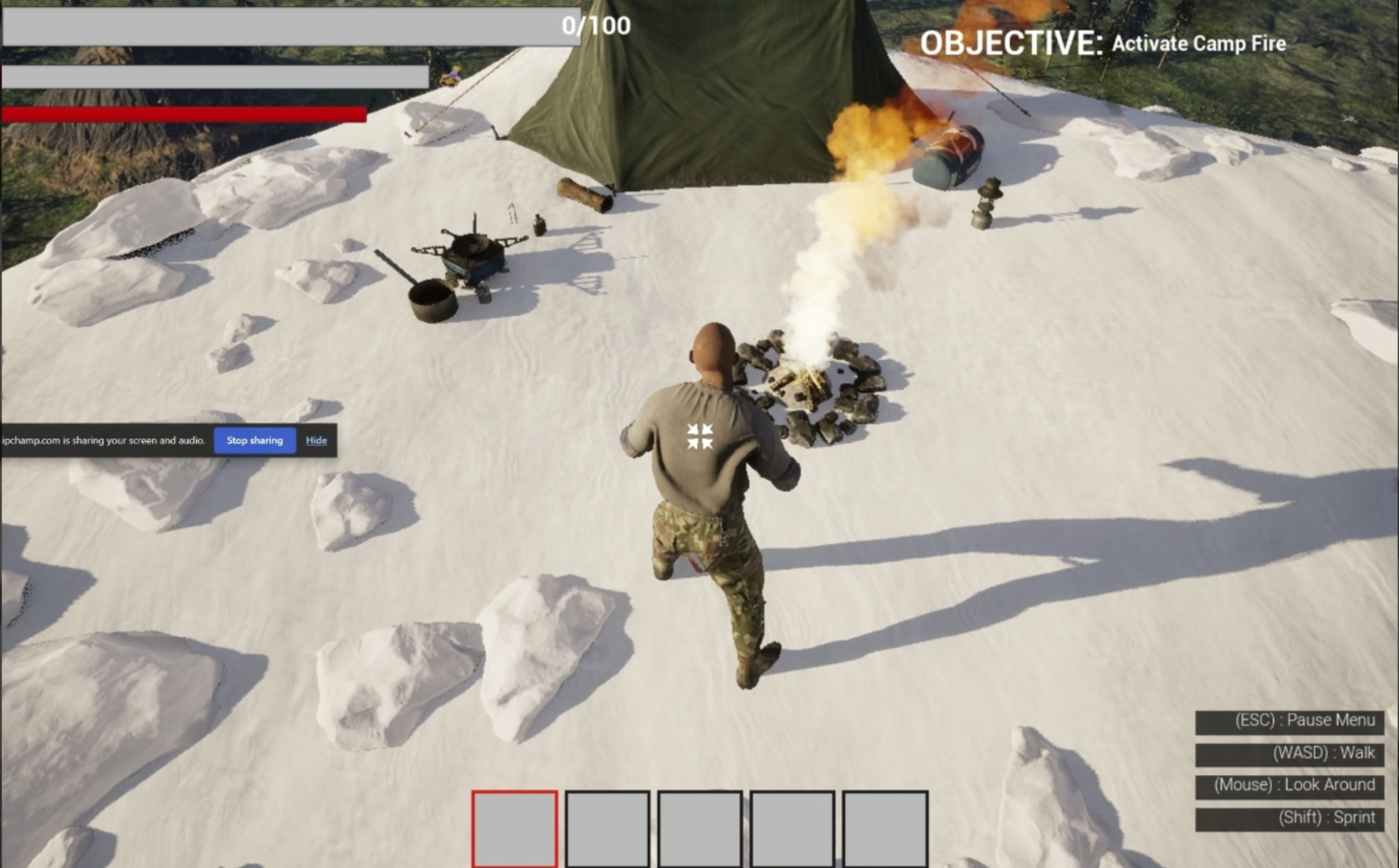
This week, I ran into several problems as I continued expanding the player systems and UI in the project. As I added new features such as the health widget, stamina system, hot bar, thirst bar, and environmental damage from the campfire, it became clear that many of these systems were not properly communicating with the player or updating the HUD correctly. For example, some UI elements existed visually but were not yet hooked into the player logic, while others needed to respond dynamically to player input such as sprinting or mouse wheel scrolling.
I also encountered issues related to player progression and game flow. After implementing a checkpoint system and a lose menu, problems arose where the player state was not behaving correctly when dying or starting a new game. The game needed to clearly distinguish between continuing from a checkpoint and resetting all progress with the New Game button. Without addressing these issues, the player could experience incorrect stamina behavior, UI values not updating properly, or unintended respawn behavior, which would negatively impact gameplay clarity and usability.
Part 2: Problem Solution
To address these issues, I focused on properly connecting each gameplay system to the player and ensuring the UI updated based on real player state changes. I hooked the health widget directly to the player’s health variable so it updates when the player takes damage, such as from the campfire particle system. I also implemented stamina drain and regeneration logic tied to the sprint input, fixing an issue where stamina was regenerating while the sprint key was still being held.
For progression and game flow, I created a checkpoint system in the main level that saves the player’s location and restores it when the game is loaded. I then updated the New Game button logic so that it correctly resets progress instead of loading the last checkpoint. When the player’s health reaches zero, the lose menu now opens reliably, stopping gameplay and providing clear feedback to the player. I also connected the hot bar slots in the HUD to the player using mouse scroll input, allowing the UI to respond immediately to player actions. These changes ensure that player systems, UI elements, and game state are synchronized correctly.
Leave a comment
Log in with itch.io to leave a comment.